
Created by STORYBOARD
The Core Idea
You cannot ask AI for a clean orbit or a true trucking move and trust it to obey. So author the move first in a 3D tool, screen-record it, then feed that recording as motion reference only.
- Pipeline: pick motion in Mixamo, record the camera guide, generate GPT Image 2 stills, then Seedance 2.0 Mini Omni References for the final shot.
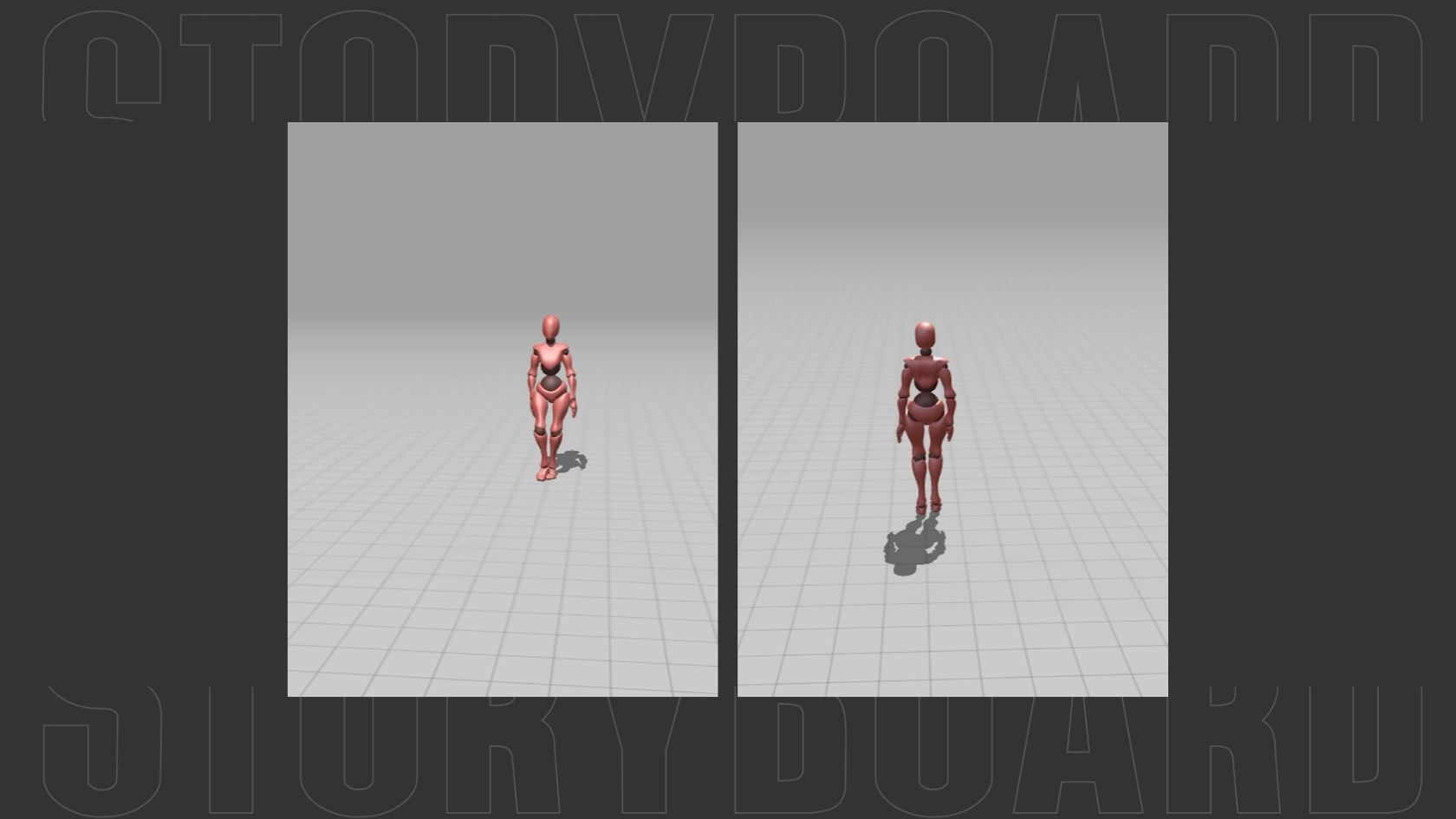
- The gray mannequin and grid floor are guides for motion and camera only, not the final style.
Step 1: Select Motion and Record Camera Guide
Pick the motion for each shot in Mixamo (or any 3D app), then screen-record the camera guide and grab the key still frames. Lock the camera path and rhythm before generating anything.
Shot01: orbit, walk to bus stop. Camera orbits from front / three-quarter view to rear view. Reference for walking rhythm, subject scale, and final rear-facing orientation.
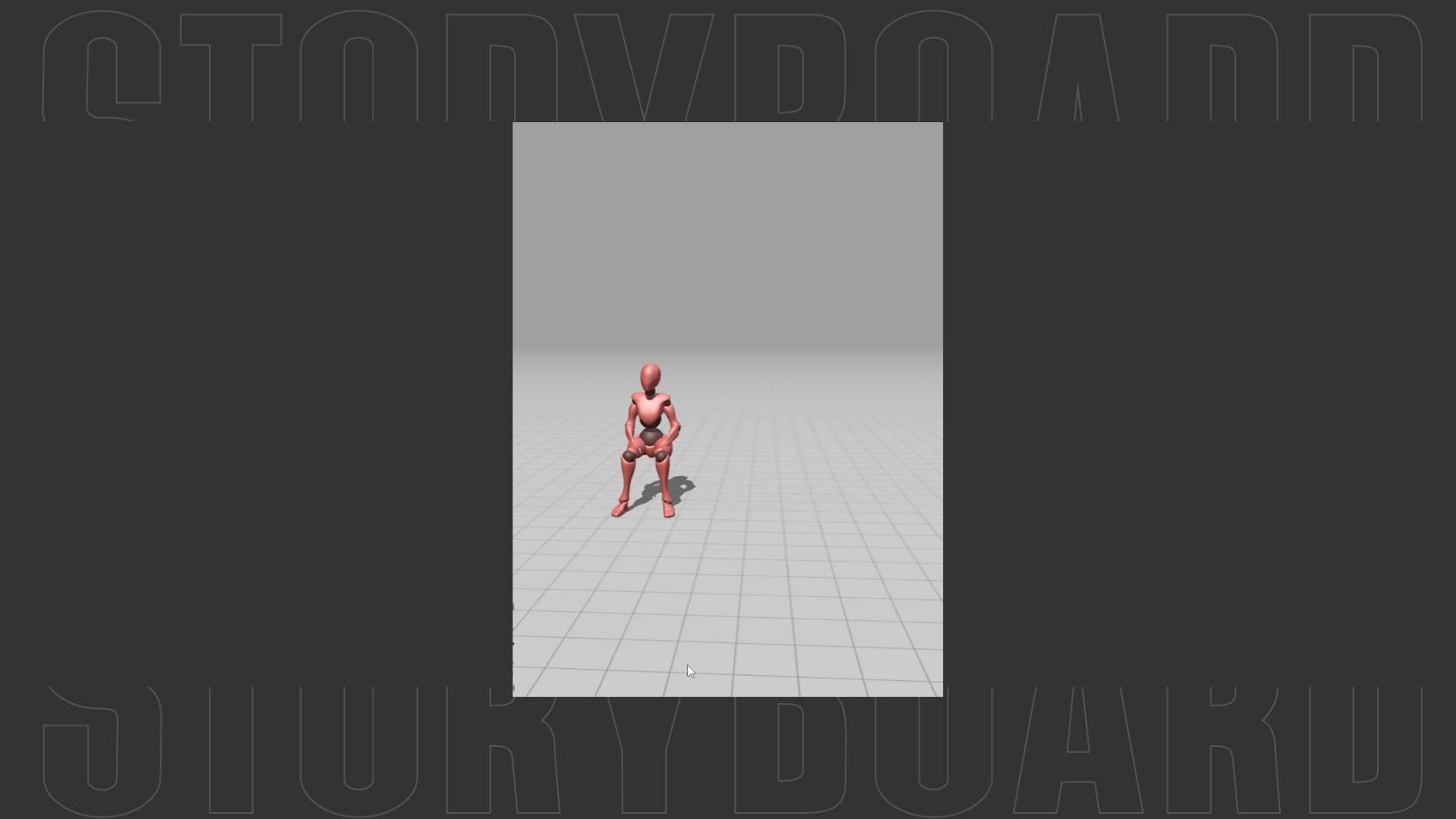
Shot02: seated, bus interior. Camera move is lateral tracking / trucking-left, not pan-left.
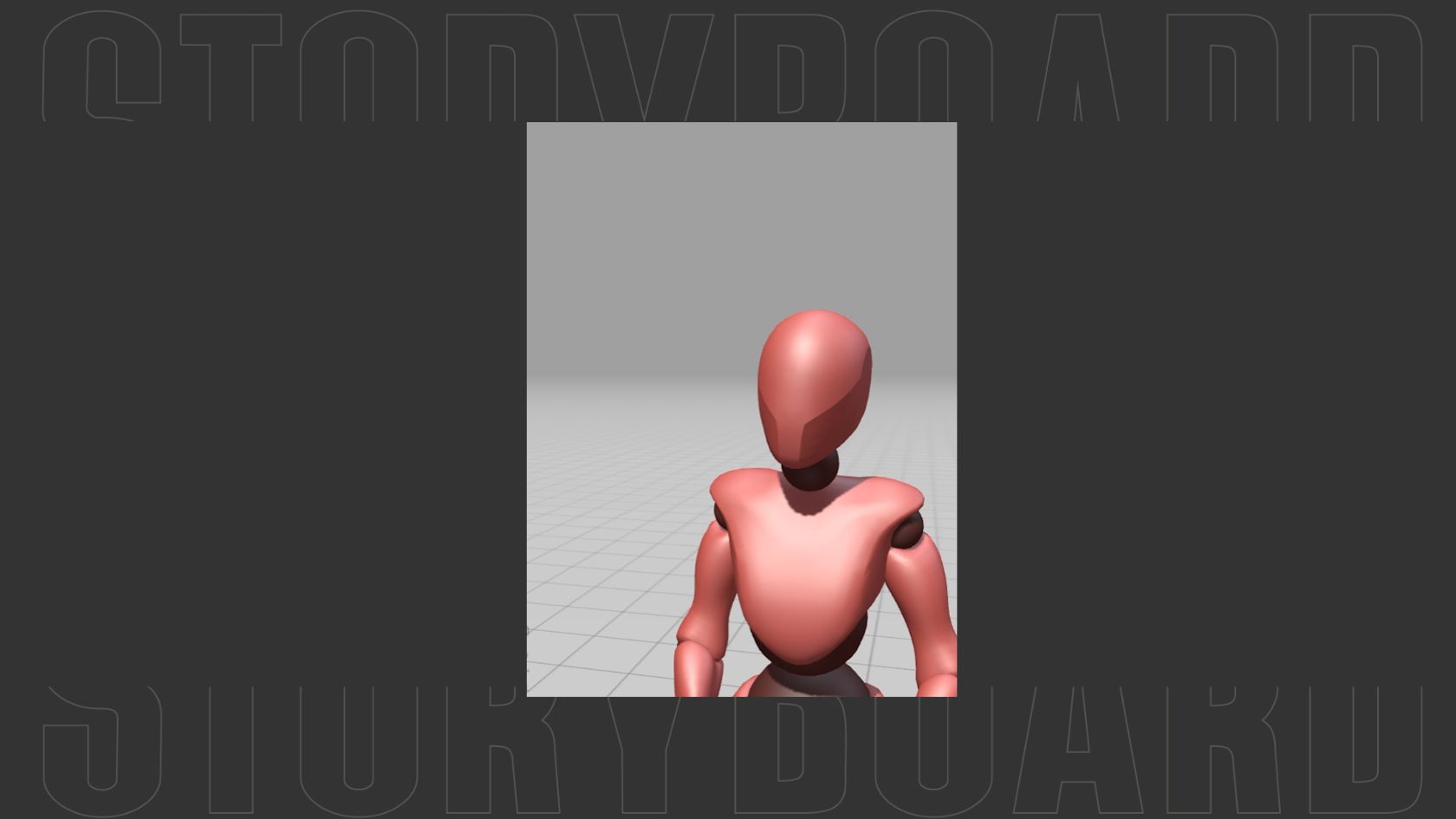
Shot03: close-up, bus window. Reference for head/shoulder scale, camera distance, and subtle real-time movement.
Step 2: Generate Images, Main Character and Scene (GPT Image 2)
Character
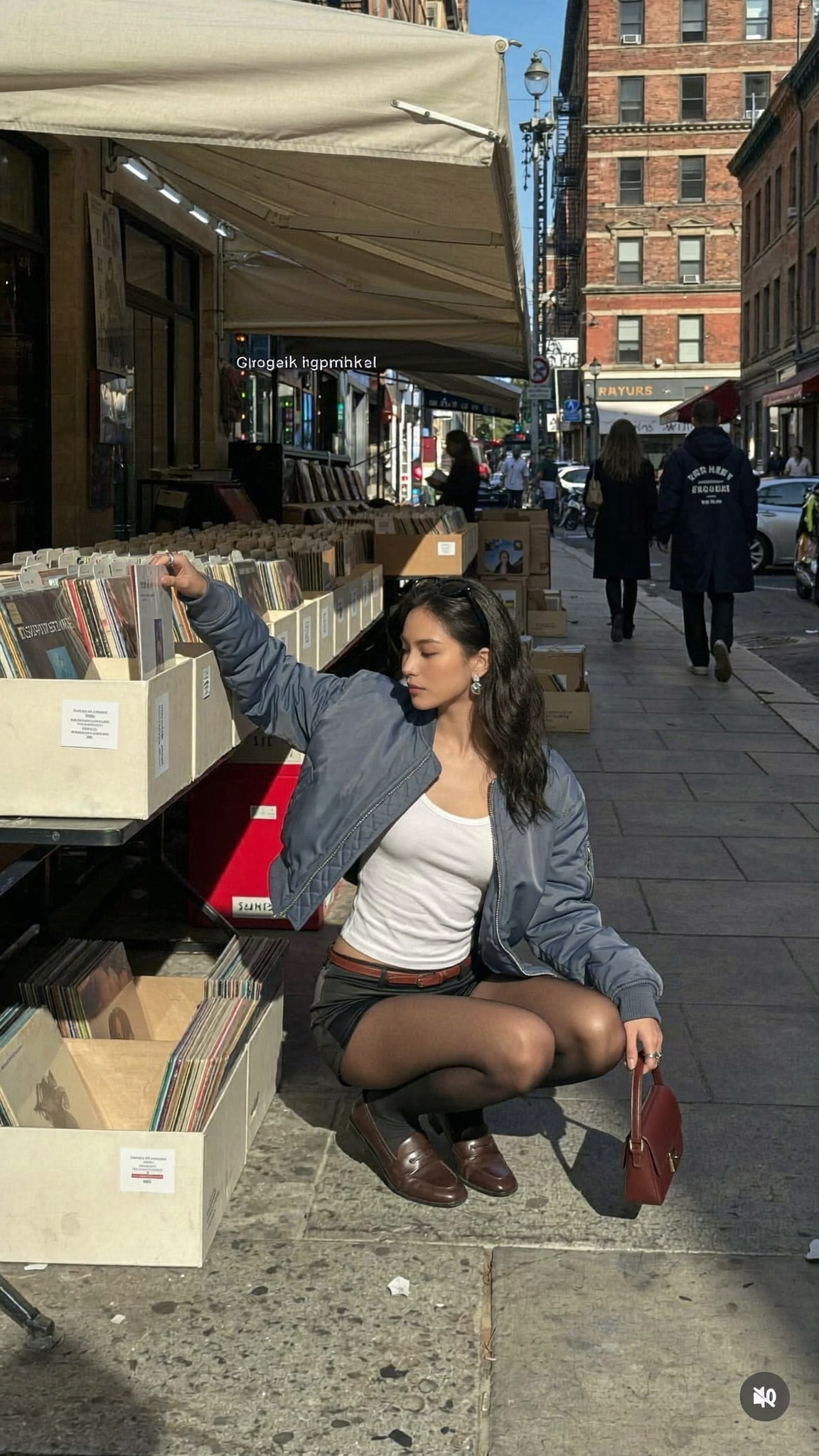
OriginalCharacter. The original source image. First reference for the character, outfit mood, street record-shop location, and lighting. No prompt needed.
C-Full. Reference: OriginalCharacter.
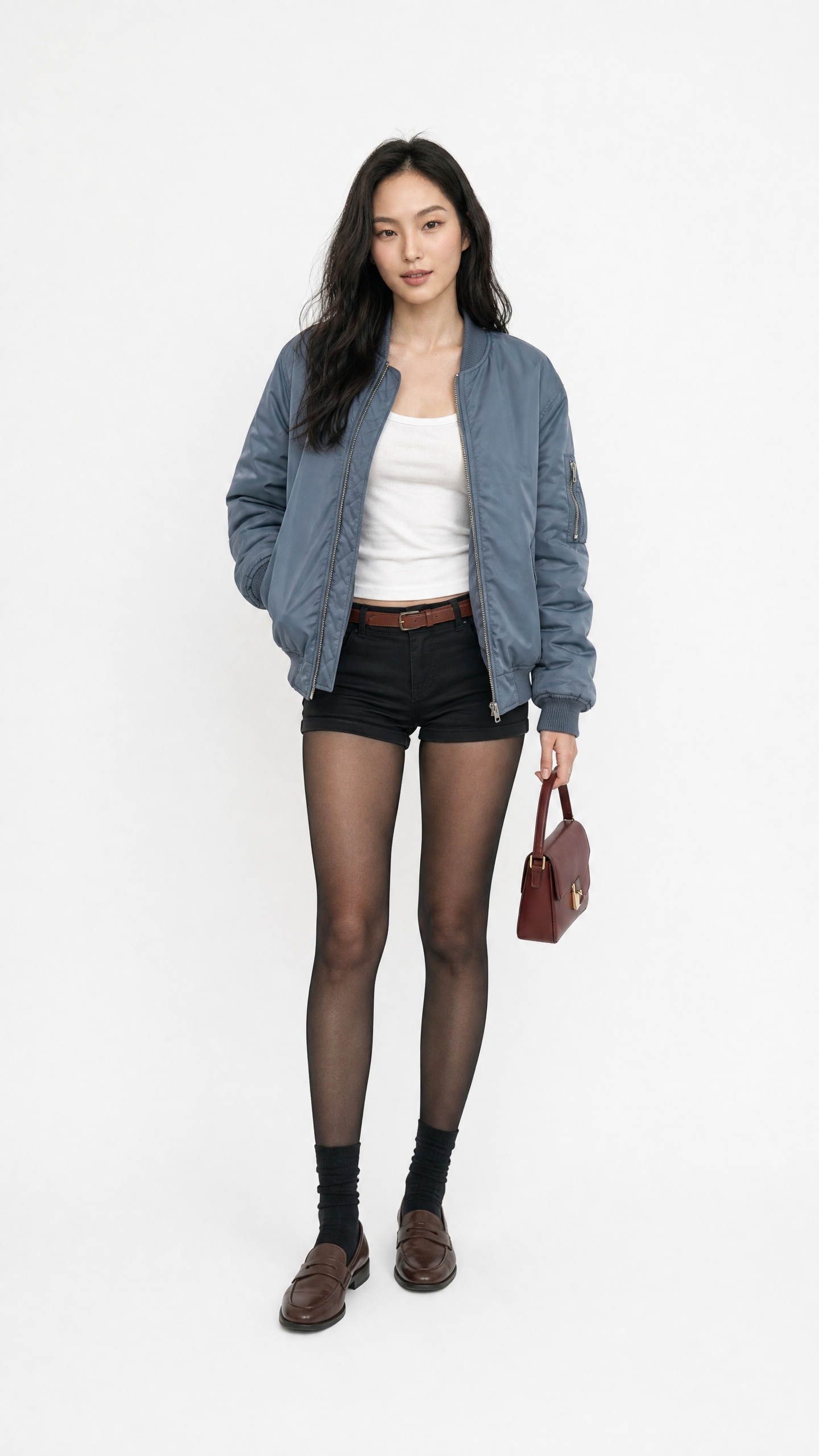
Use the uploaded female character image as the main character reference. Create a clean realistic 3:4 full-body character reference image on a plain white studio background.

Preserve the same young Asian woman identity: same face structure, soft almond eyes, natural lips, long dark wavy hair, calm confident expression, realistic skin texture, and natural proportions. Keep the outfit consistent: blue oversized bomber jacket, white tank top, black shorts, sheer black tights, black socks, brown loafers, small burgundy handbag.

The character should stand naturally facing camera, relaxed posture, fashion editorial styling, sharp full-body framing from head to toe, clean studio lighting, no props except the handbag, no text, no logos, no grid, no collage, one single image only. Aspect ratio 3:4.
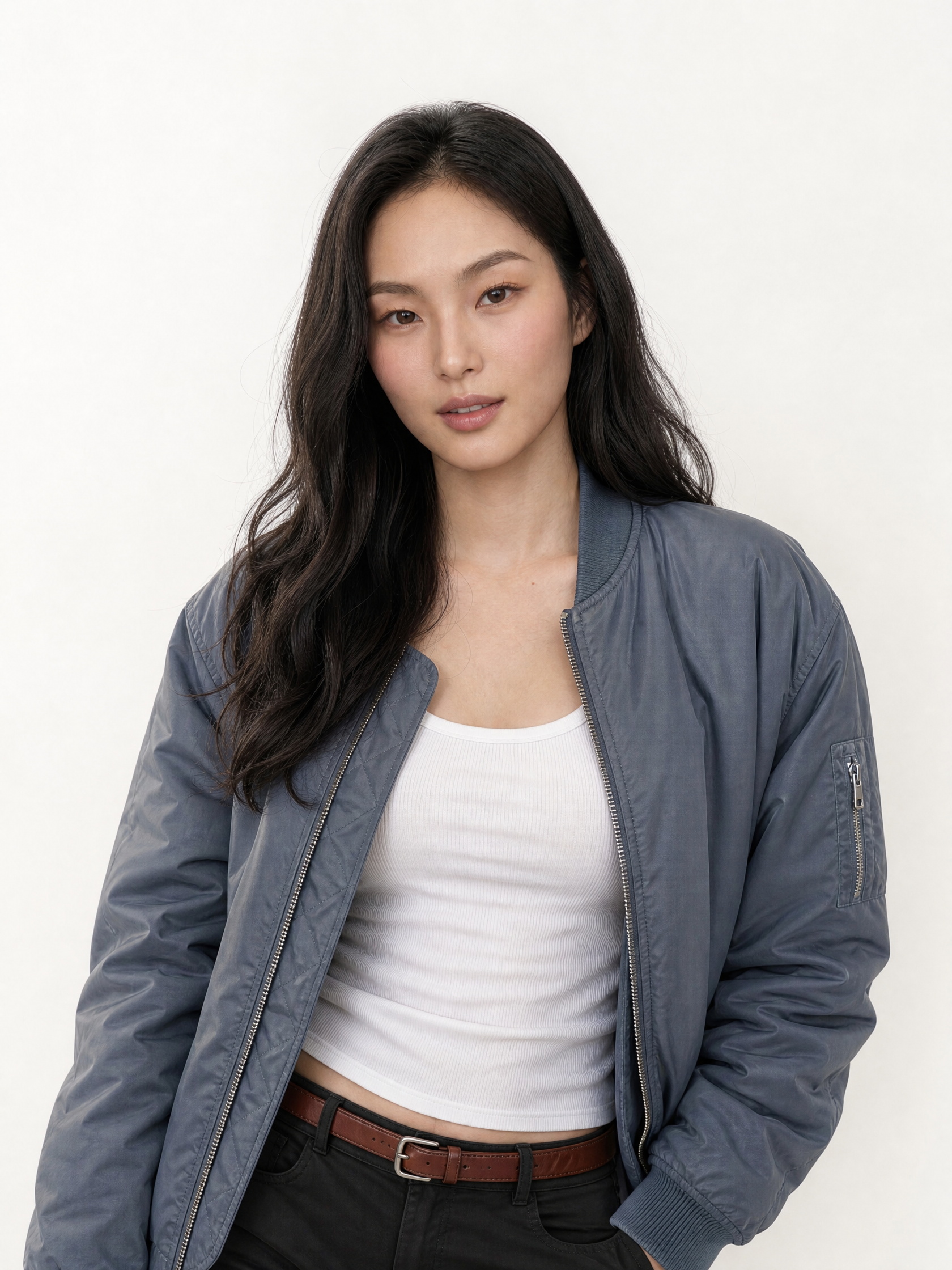
C-Half. Reference: OriginalCharacter, C-Full. Use as the close-up character reference for the bus-window close-up image and video.
Scene
SceneImg02. Reference: OriginalCharacter (location mood).
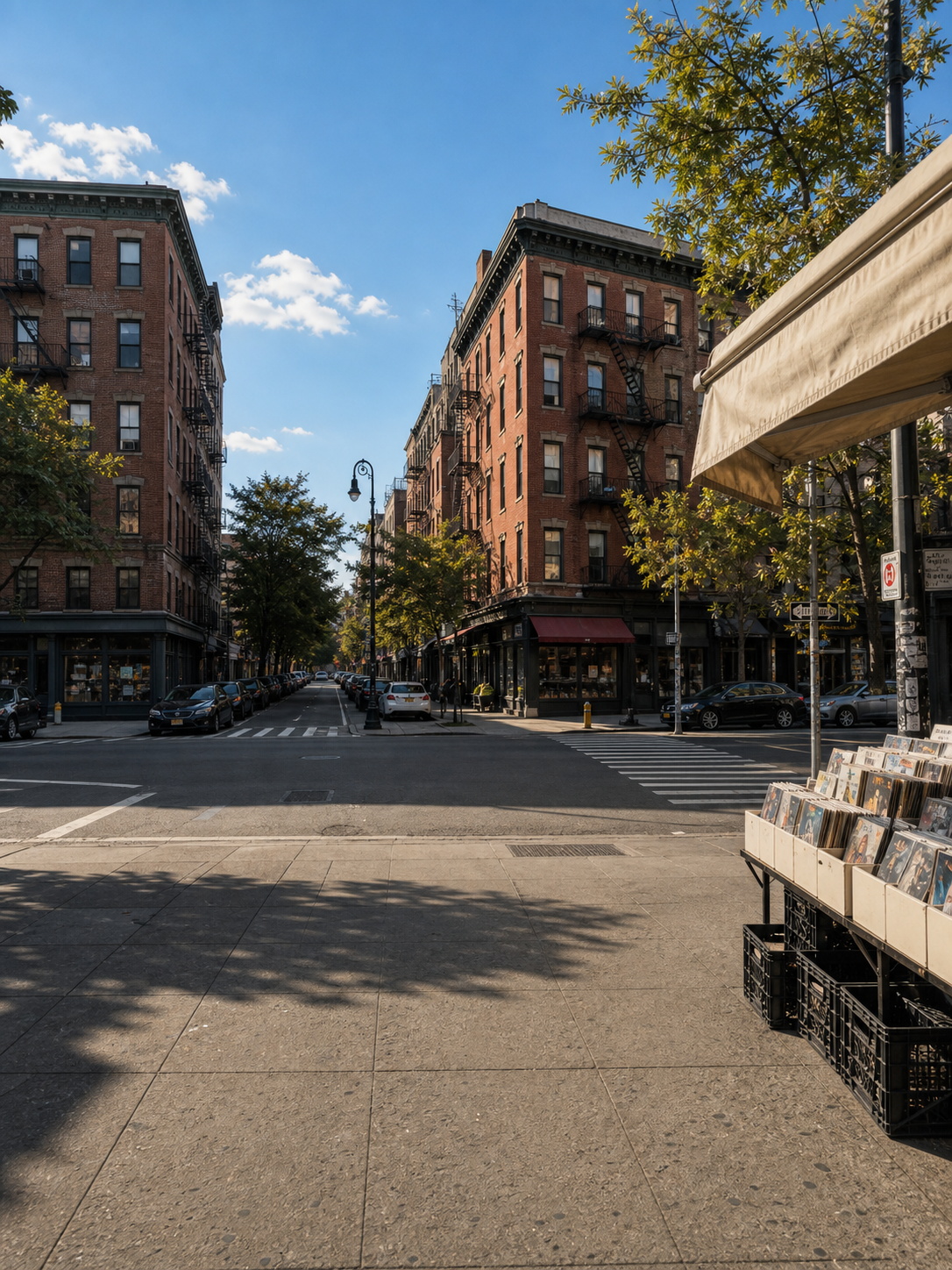
Use Image A as the main location reference. Image A is the original street / record-shop image.

Create one single 3:4 realistic background-only image. Change the camera direction from Image A into the reverse / opposite walking direction, as if the camera has moved to the woman's point of view after she walked forward and the camera orbited behind her.

Keep the same neighborhood identity: New York-style brick buildings, fire escapes, blue sky, hard afternoon sunlight, realistic shadows, street intersection, crosswalk, parked cars, beige awning, vinyl record shop and record bins on the right side.

Important: this is a clean background plate only. No woman, no bus, no main foreground person. Keep an open sidewalk foreground and a clear street intersection in the middle ground so a character or bus can be composited later. Do not copy the original exact frame. Do not create a grid, collage, panels, text, or logo. One single image only.
Img01. Reference: OriginalCharacter (Image A), S1-1 front guide (Image B).
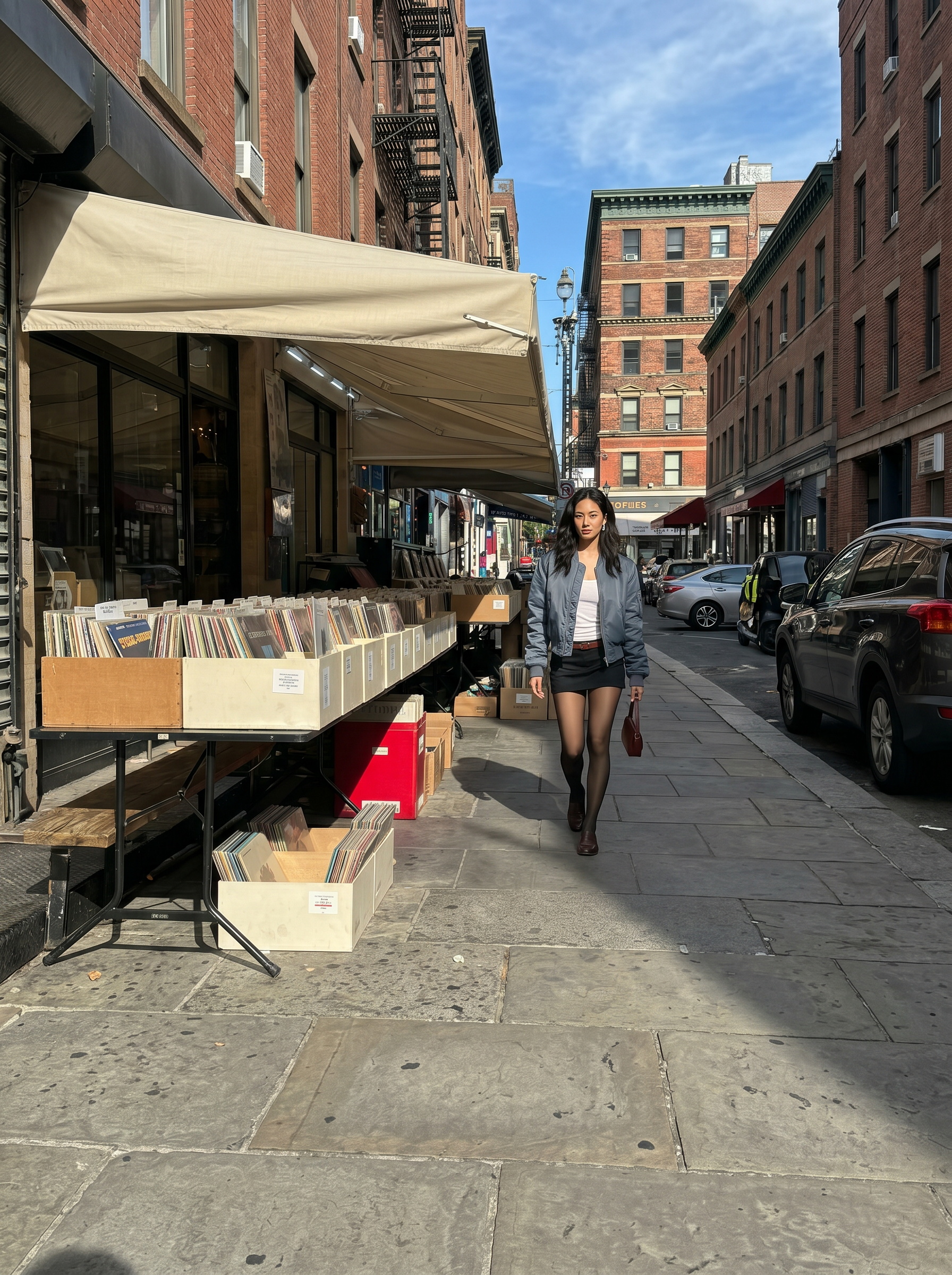
Use Image A as the main visual reference for the real woman, outfit, street location, sunlight, shadows, and photorealistic atmosphere.

Use Image B, the front-facing motion guide, as the strict motion/composition reference only for subject position, subject scale, camera distance, and framing.

Create one single 3:4 realistic street photography image of the same woman walking toward the camera beside the outdoor vinyl record shop.

Strict composition lock: place the woman as a small-to-medium full-body figure near the center of the image, slightly right of center. Keep her full body visible from head to toe. Keep a wide establishing frame with open sidewalk foreground, enough space above her head, and the same street perspective as the reference. Do not make this a close fashion portrait.

Preserve the outfit: blue bomber jacket, white tank top, black shorts, sheer black tights, brown loafers, burgundy handbag. Preserve the record crates, beige awning, brick buildings, parked cars, and natural afternoon hard shadows. No grid, no collage, no text, no logos, one single image only.
Img02. Reference: SceneImg02 (Image A), C-Full (Image B), S1-2 rear guide (Image C).
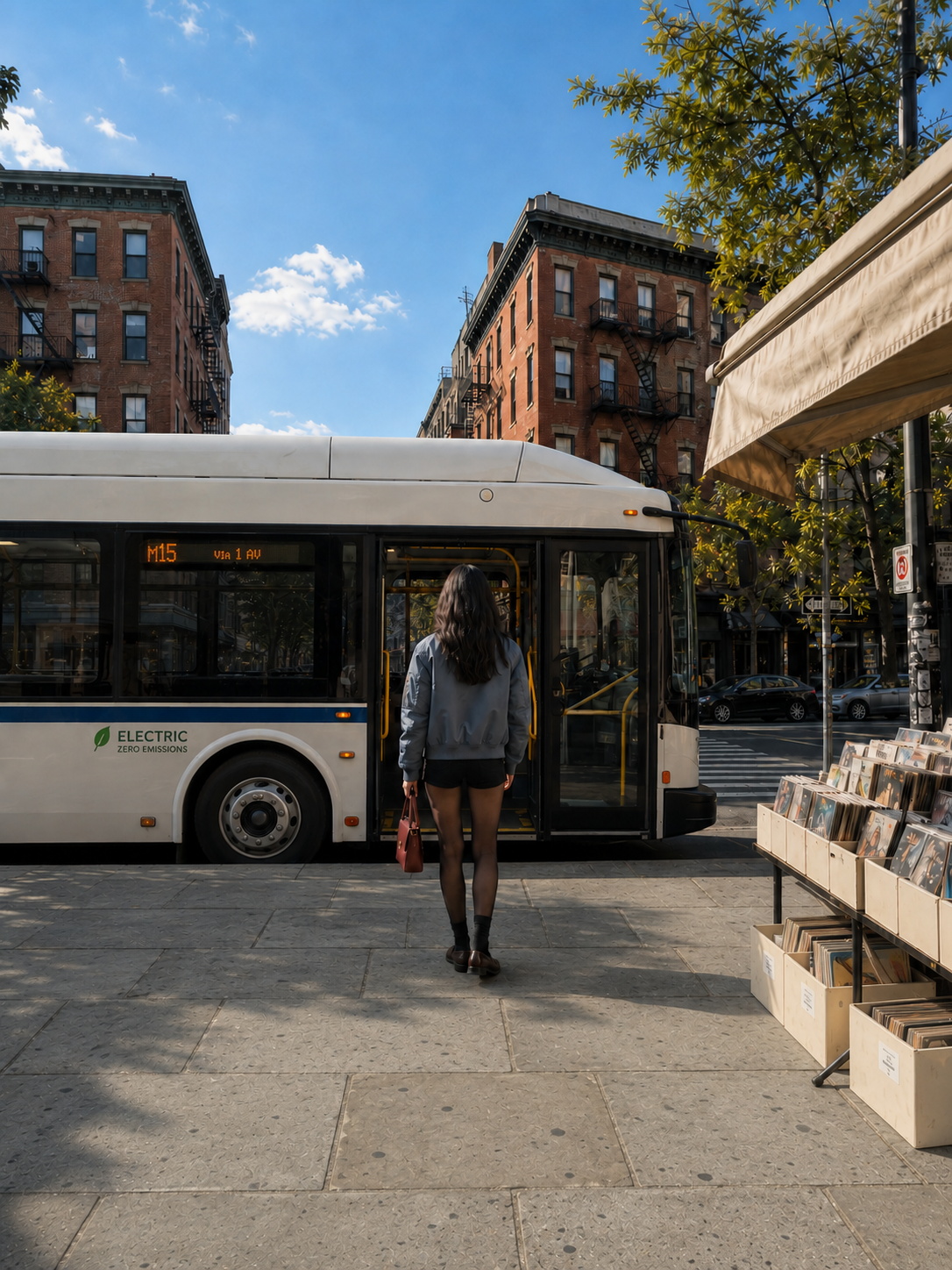
Generate a brand-new realistic 3:4 vertical image from scratch. Do not edit, reuse, repair, or continue from any previous generated image.

Use Image A as the main background reference for the exact street perspective, camera angle, lighting, shadow direction, crosswalk position, sidewalk layout, road direction, record shop position, vinyl crates on the right side, brick buildings, blue sky, and realistic urban atmosphere.

Use Image B as the character reference only for the woman's identity, hairstyle, outfit, body shape, blue oversized bomber jacket, white tank top, black shorts, sheer black tights, brown loafers, small burgundy handbag, and styling.

Use Image C as the rear-facing motion / position guide only for the woman's back-facing body orientation, subject scale, frame placement, and camera distance.

Create a clean realistic street scene where the same woman stands near the curb, back facing the camera, waiting to board a modern electric city bus.

Composition: the woman is seen from behind, placed near center, slightly right of center, full body visible, natural relaxed standing posture, shoulders relaxed, arms loose, small burgundy handbag held low in her left hand. Her face is not visible. Keep her position and scale close to the motion guide.

Bus placement: add one modern clean electric bus stopped directly in front of the woman at the curb, parallel to the road and crosswalk, shown mostly from the long side. The passenger door faces the sidewalk where the woman is standing, clearly open or ready for boarding. The bus is close enough that she clearly looks ready to board, but does not block the entire scene. Do not make the bus diagonal, front-facing, or background traffic.

Lighting: match Image A exactly, bright natural afternoon sunlight, hard realistic shadows, clear blue sky, natural contrast, realistic street photography. Keep the record shop and vinyl crates on the right side. Under the record shelf, include cream paper record boxes, black plastic crates, and one clearly visible red storage box. No grid, no collage, no split screen, no duplicated woman, one single image only.
Img03. Reference: C-Full, S2 seated guide, bus interior style.
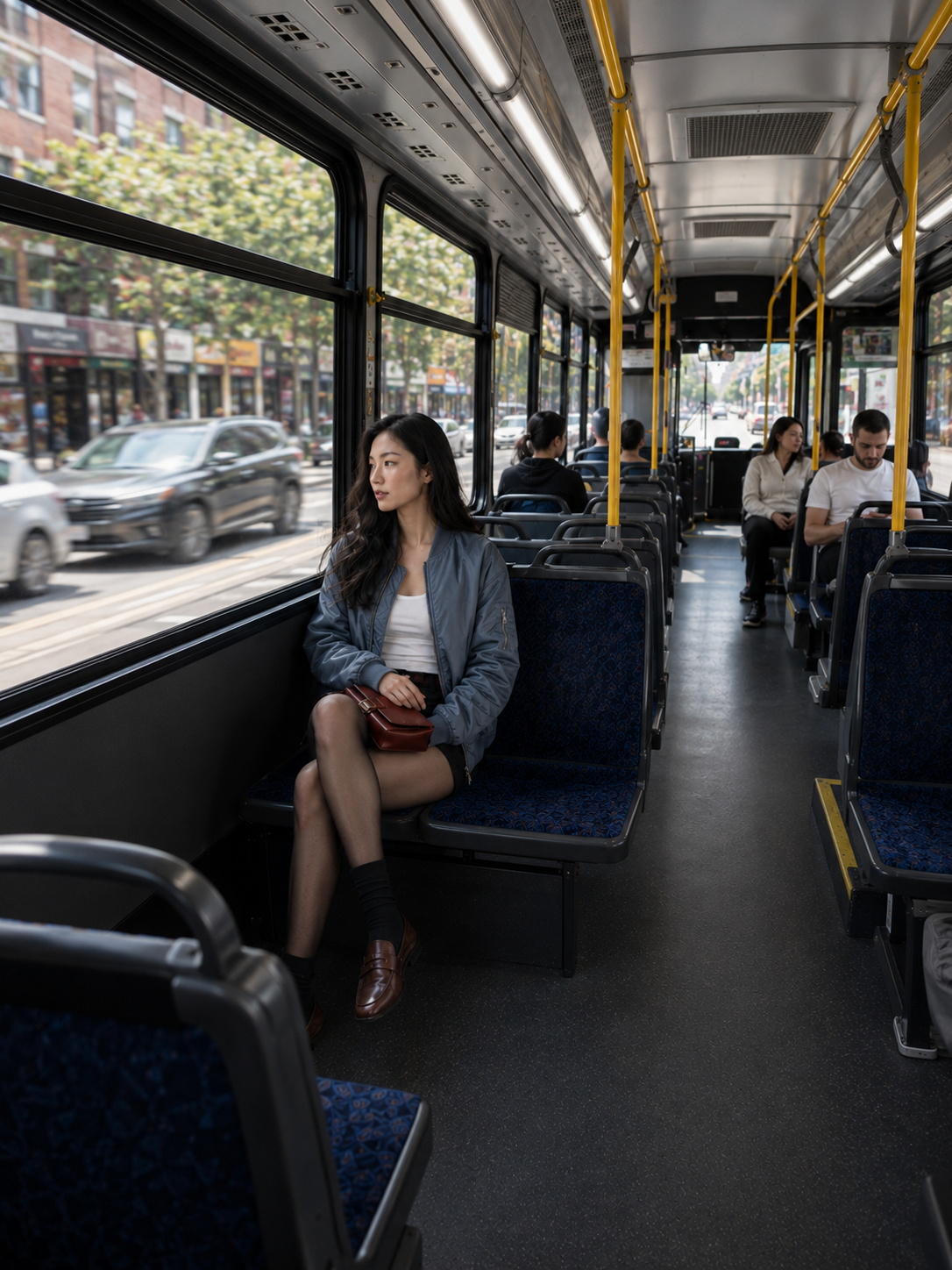
Generate a brand-new realistic 3:4 image from scratch. Do not edit or continue from previous generated images.

Use the uploaded woman reference for identity, face, hairstyle, outfit, and styling. Use the seated motion guide only for subject placement, seated pose scale, and camera perspective.

Create a wide interior scene inside a modern city bus while it is moving through the same sunny city. The camera is pulled back wider than a close portrait, showing the bus aisle, yellow poles, blue patterned seats, large windows, and the city street blurred outside.

Place the woman seated by the left window in the same general position as the seated motion guide. She wears the same blue bomber jacket, white tank top, black shorts, sheer black tights, brown loafers, with the burgundy handbag resting on her lap. She looks calmly out the window.

Add a few passengers for realism: some seated on the left side and some on the right side, facing different directions according to their seats. Do not make everyone face the same way. Include one or two passengers facing toward camera on the opposite-facing seats, and others facing forward away from camera. Keep them secondary and natural.

Add a seat in front of the woman to make the bus layout believable. Remove any priority seating / wheelchair sign from the wall near her. Keep the image natural, realistic, and not crowded. No grid, no collage, no text overlay, no logos, one single image only.
Img04. Reference: C-Half, S3 close-up guide, bus interior style.
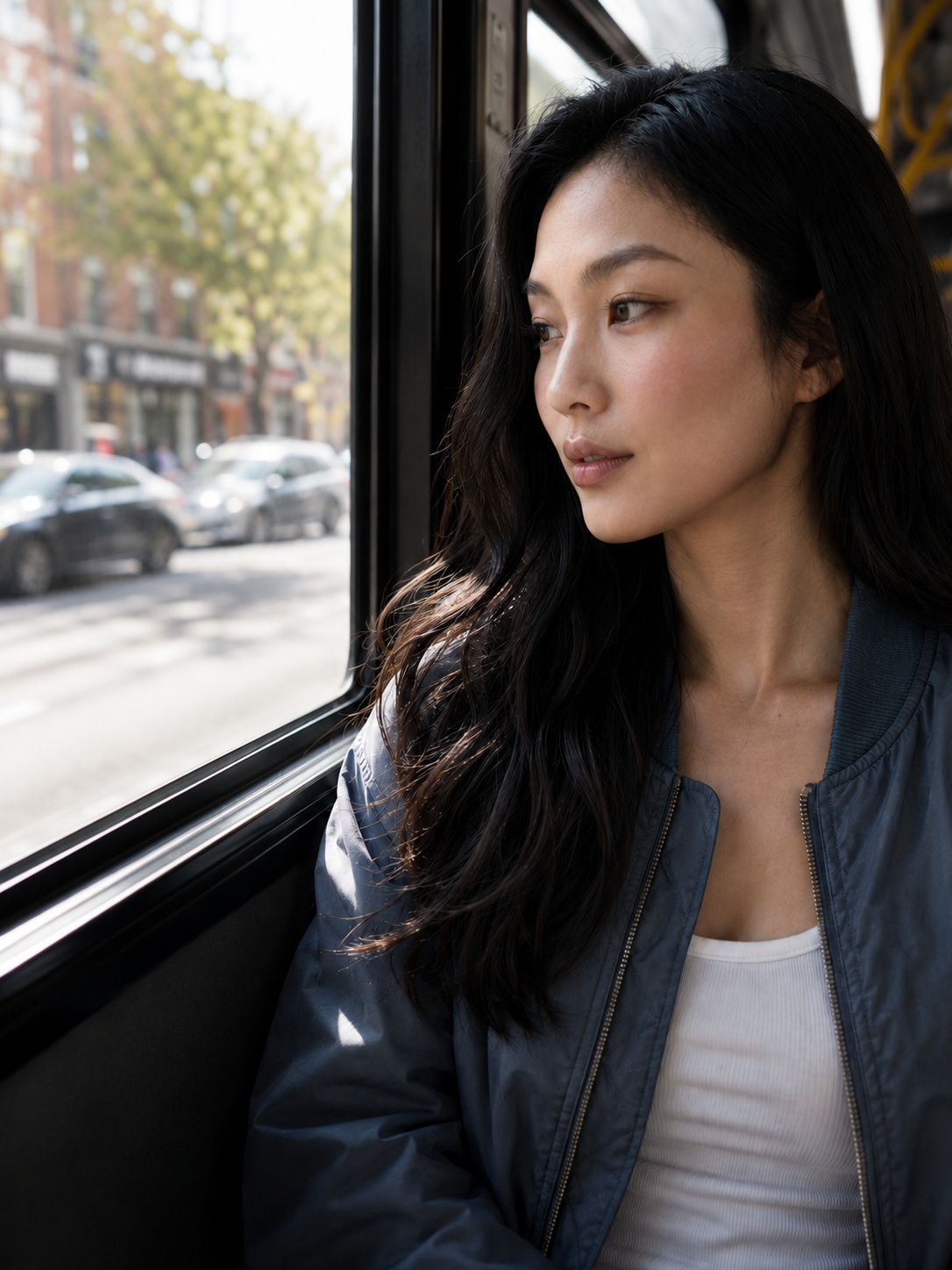
Use the uploaded woman image as the main character reference for identity, face, hair, outfit, skin tone, styling, and realism.

Use the close-up motion guide image as the strict composition reference only for camera distance, subject scale, head placement, shoulder framing, and tight close-up perspective.

Generate a brand-new realistic 3:4 close-up image inside the moving city bus.

Composition priority: match the close-up guide. Very close camera distance; frame from upper chest / shoulders upward; face and upper torso dominate the image; head and body are weighted heavily to the right side of the frame; leave more open window/background space on the left. Do not make it a full-body or wide interior shot.

The same woman sits beside the bus window, looking slightly left toward the street outside. Preserve long dark wavy hair, blue bomber jacket, white tank top, natural makeup, calm thoughtful expression, realistic skin texture, and soft natural daylight from the window.

Environment: modern city bus interior with window frame, yellow handrails, dark bus seats, soft blurred street outside, a few secondary passengers in the background. Keep the bus interior visible but not dominant.

Lighting: natural daylight from the window, soft realistic contrast, subtle highlights on her face and hair, realistic shadows from the bus interior. No grid, no collage, no text overlay, no logos, one single image only.
Step 3: Generate Videos (Seedance 2.0 Mini Omni References)
Use the GPT Image 2 stills as visual references and the Mixamo screen recordings as motion references only.
Shot 1. Omni References: Img01 start frame, Img02 end frame, Shot01 motion reference. Use Shot01 loosely for orbit path and walking rhythm. Do not pose-lock the woman into frozen mannequin motion.
Use Img01 as the start frame, Img02 as the end frame, and Shot01 as motion reference only.

Generate a 5-second vertical 3:4 realistic cinematic video in real-time motion, normal speed, not slow motion.

Start from Img01: the same woman walking naturally along the sunny NYC record-shop sidewalk. Preserve her identity, face, outfit, hair, body proportions, red handbag, lighting, and the street environment.

Use Shot01 only as a loose motion and camera guide, not an exact pose lock. Follow the overall camera idea from the reference: the camera orbits from a front / three-quarter walking view, passes around her side, then arrives behind her. Keep the movement natural and cinematic.

The woman should continue moving naturally through the shot. She does not freeze or hold a stiff mannequin pose. She walks at normal real-life walking speed, then naturally slows her pace as the camera reaches behind her. At the end, she pauses briefly near the curb, but still has subtle living motion: small weight shift, natural breathing, slight hand and handbag movement, hair movement, and relaxed posture.

0-1.5s: woman walks at normal speed, camera begins orbit from front / three-quarter angle. No bus dominates the frame yet.

1.5-3.2s: camera orbits around her side toward a rear view. Her walk remains natural, not locked to the guide.

3.2-4.6s: as the camera reaches behind her, a clean blue-white city bus drives into frame at normal city traffic speed, pulls toward the near curb, and brakes naturally.

4.6-5s: the bus stops directly in front of her, door aligned with her position. She naturally pauses for a short beat, ready to board, with subtle body movement instead of freezing.

The bus must enter during the final rear-view moment. It must not already be parked at the beginning. The camera arrival behind her and the bus stopping should feel timed together like a cinematic shot.

End frame should resemble Img02 composition, but keep the woman alive and natural: seen from behind, centered, facing the stopped bus door, record shop and vinyl crates on the right, cream awning, brick buildings, blue sky, warm hard afternoon sunlight, realistic sidewalk shadows.
Shot 2. Omni References: Img03 visual reference, Shot02 motion reference. Use for seated pose timing and lateral tracking / trucking-left, not pan-left.
Use Img03 as the visual reference and Shot02 as motion reference only.

Generate a 5-second vertical 3:4 realistic cinematic video inside a city bus, real-time motion, normal speed, not slow motion.

Keep the same woman from Img03 seated beside the large bus window. Preserve her identity, face, blue bomber jacket, white tank top, black shorts, sheer tights, brown loafers, red handbag, hairstyle, body proportions, and the bus interior lighting.

Follow Shot02 camera movement exactly: the camera performs a lateral tracking / trucking move to the left, like a camera on a slider moving sideways inside the bus. The camera body physically translates left across the bus interior while the lens direction stays mostly forward. This is not a pan. Do not rotate the camera left. Do not orbit around her.

The woman remains seated and mostly still, matching the seated pose from the motion reference. Her body stays grounded on the seat. As the camera tracks left, her position in frame should naturally shift from left-of-frame toward center, then slightly right-of-center, matching the reference video's framing change.

Keep the movement subtle but clear: visible sideways parallax in the bus seats, poles, window frames, and aisle. The background should slide laterally due to camera translation, not rotate due to camera pan.

Add only natural real-time motion: slight bus vibration, small breathing motion, tiny hand movement, subtle hair movement, realistic outside traffic passing through the window. No dreamy slow motion.

Preserve Img03 environment: modern city bus interior, blue patterned seats, yellow poles, black window frames, daylight through the windows, city street visible outside, natural passengers in the background, realistic reflections on glass.

The shot should feel like a real camera sliding sideways inside the bus while the woman sits by the window.
Shot 3. Omni References: Img04 visual reference, Shot03 motion reference. Use for close-up framing and subtle real-time motion.
Use Img04 as the visual reference and Shot03 as motion reference only.

Generate a 5-second vertical 3:4 realistic cinematic close-up video inside the bus in real-time motion, normal speed, not slow motion.

Keep the same woman from Img04: same face, hair, blue bomber jacket, white tank top, natural skin tone, and quiet expression. She sits beside the bus window in close-up profile / three-quarter view, looking outside the window, not at the camera.

Follow Shot03 for framing and camera motion: close-up composition with subtle real-time camera movement around her upper body and face. Keep the framing intimate and stable, with a small natural handheld / vehicle movement feel.

Add natural micro-movements: realistic blinking, normal breathing, tiny head movement, hair catching window light, subtle bus vibration. The outside street through the window should move at normal speed, slightly blurred by depth of field and glass reflection.

Preserve Img04 composition: black window frame on the left, blurred city street outside, warm daylight entering from the window, realistic reflections on glass, shallow depth of field, cinematic close-up. Keep lighting consistent with Shot 2.
Full workflow summary
- Pick the motion in Mixamo and screen-record the camera guide for each shot.
- Grab the key still frames: front, rear, seated, close-up.
- Build the character reference in GPT Image 2 (C-Full, then C-Half).
- Build the clean background plate (SceneImg02).
- Generate each shot still (Img01 to Img04) from character plus motion guide.
- In Seedance 2.0 Mini, set start and end frames and the Mixamo recording as motion reference only.
- Use the guides loosely so the subject keeps living motion, not a frozen pose.
- Keep camera language exact: orbit, trucking-left (not pan), close-up.
The key is consistency plus control: lock identity with the stills, lock the camera with the motion guides.
Final clip flow (Reels): show the final AI-video result first, then Mixamo motion selection, camera-guide recording, still references, GPT Image 2 generation, and Seedance 2.0 Mini Omni Reference generation.